eero wifi system

eero wifi system

By eero LLC

  • Category: Lifestyle
  • Release Date: 2016-02-23
  • Current Version: 26.12.1
  • Adult Rating: 17+
  • File Size: 262.79 MB
  • Developer: eero LLC
  • Compatibility: Requires iOS 16.0 or later.
Score: 4.83791
4.83791
From 206,397 Ratings

Description

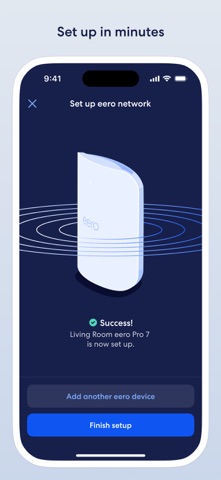
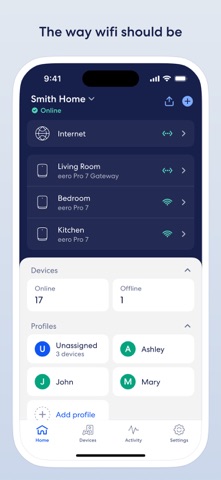
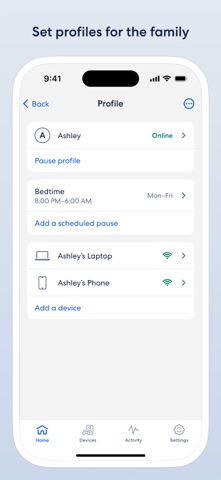
The eero app allows you to easily set up and manage your eero WiFi system (sold separately). The world’s first home WiFi system, eero blankets your home in fast, reliable WiFi. eero stays new and gets better with frequent software updates, improving performance, while also bringing new features and security improvements. It’s simple to set up and easy to manage. With a network that expands as far as you need, you’ll finally be able to stream, work, and play, from every corner of your home — and from the backyard, too. eero features: - Setup in minutes - Automatic updates with new features, performance improvements, and the latest eero security standards - View and manage your network from anywhere - Easily and securely share your network with guests - Schedule or pause internet access to manage screen time - Block devices from using your network - eero Plus (sold separately) - a subscription service that includes advanced security, additional parental controls, and VIP access to our team of WiFi experts. It also includes a suite of online security solutions, including a password manager, antivirus software, and a VPN powered by Guardian. We want to hear your feedback. For any feature requests or thoughts on how we can improve, reach out at support@eero.com. By using this app, you agree to eero’s Terms of Service (https://eero.com/legal/tos) and Privacy Policy (https://eero.com/legal/privacy).
Screenshots

Reviews

  • Question

    3
    By TheSaint609
    Still learning the system but pausing unassigned devices also seems to pause guest internet. Grok informs me this shouldn’t happen. Is this working as designed or is this a bug?
  • Eero App

    1
    By Bxcsry7
    The app is displaying unusual information it says it’s not authentic please fix the error .
  • Muy bueno

    5
    By La ardilla Perez
    Good
  • Awesome

    5
    By LTFERGY
    Received this from my ISP. Plugged it in and it connected way too easy. It found my devices and I didn’t have to log them back in. Thank you for saving me that hassle.
  • Awesome service

    5
    By pavan kistampally
    Very easy to setup and very robust
  • Thank you!!

    5
    By Khmerprince
    This service has given me great hopes that I’m well aware of all activities on each device connected to my home network. I love how I’m the CIO and SIO of my home network with a touch of a button on my phone lol
  • Nice

    5
    By like vg
    Terry nice and friendly 👍
  • Alonzo 502

    5
    By Aiben Terry
    He did a great job installing the Fiber. Great guy to talk also!
  • Wouldn’t connect properly.

    1
    By Felix Cisneros
    My Eero stopped working on Thursday, I tried factory resetting it and setting up a new network, but the Eero wouldn’t connect to Bluetooth. I clicked the “try again” button, and it gave me the same error every single time I used the “try again” button. I changed the network settings, but it didn’t work for any setting.
  • Ezee

    5
    By L.galle
    Alonzo tech #502 was great with install

Comments

keyboard_arrow_up