TP-Link Tether

TP-Link Tether

By TP-Link Systems Inc.

  • Category: Utilities
  • Release Date: 2013-05-17
  • Current Version: 4.15.18
  • Adult Rating: 4+
  • File Size: 356.07 MB
  • Developer: TP-Link Systems Inc.
  • Compatibility: Requires iOS 14.0 or later.
Score: 4.78144
4.78144
From 147,435 Ratings

Description

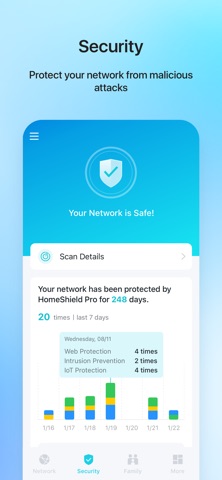
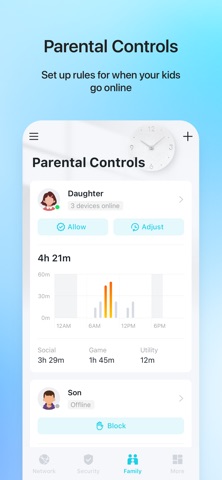
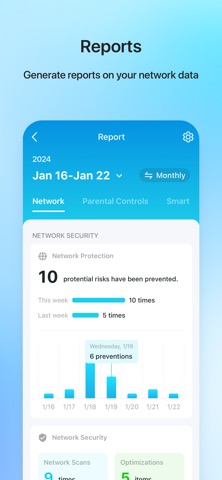
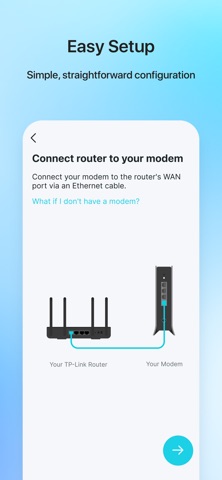
TP-Link Tether provides the easiest way to access and manage your TP-Link Router/ xDSL Router/ Range Extender with your mobile devices. From quick setup to parental controls, Tether provides a simple, intuitive user interface to see your device status, online client devices and their privileges. - Setup SSID, password and Internet or VDSL/ADSL settings of your devices - Block unauthorized users who are accessing your devices - Manage permissions of client devices - Parental control function with schedule and URL-based Internet access management - Find the best location to place your range extender - Automatically turn off the LEDs at specific time - Manage most of TP-Link devices simultaneously View compatible routers of Tether: https://www.tp-link.com/tether/product-list/#wi-fi-routers To learn how to find the hardware version of your device, go to http://www.tp-link.com/faq-46.html More devices supported by Tether are coming soon! Important Notes ● Upgrade firmware is required. Go to the download page to choose the correct version and download the latest firmware: http://www.tp-link.com/support.html ● TP-Link Tether does not work when connected to guest network ● For any issue, please contact http://www.tp-link.com/support.html ● Privacy Policy: https://privacy.tp-link.com/app/Tether/privacy ● Terms of Use: https://privacy.tp-link.com/app/Tether/tou ● HomeShield Subscription Service Agreement: https://www.tp-link.com/homeshield/service-agreement/?app=tether ● Auto-Renewal Service Agreement: https://www.tp-link.com/homeshield/auto-renewal-service-agreement/?app=tether
Screenshots

Reviews

  • Easy Peezy

    5
    By Ship for free
    After hours attempting to link my R315 Extender with no success, I decided to download Teather. Ten minutes later, I’m up and running
  • First Time

    5
    By bussinw/boys
    Just love how easy this is. Keep up the great work!
  • Yeah Baby

    4
    By Ananiel__
    It’s very simple liked it thank you
  • it’s. good

    4
    By bruthrr
    amazing
  • Very reliable router

    5
    By Jose Tierra
    Happy with our purchase and happy with the reliability of the device.
  • Install a breeze

    5
    By CapnPete3491
    The extender was added to our system with no hassles. I opted to use the Tether app and it was well written and easy to understand. Kudos to the designers of the extender and its software and special thanks to whoever wrote the install notes.
  • Citrus

    5
    By jorgextra
    Nice
  • Do not buy it’s a scam

    1
    By Carterlawrence
    Very annoying to set up, but once I set it up, it didn’t work. It made everything worse. Do not buy this. You’re getting scammed. Horrible product.
  • Set up

    5
    By Kfd777
    Easy set up
  • Extender

    5
    By Marylinbeth
    Was a bit hard to reconfigure when WiFi changed, but I was determined to get it hooked up and finally did today. It helps us to get WiFi downstairs for company.

Comments

keyboard_arrow_up