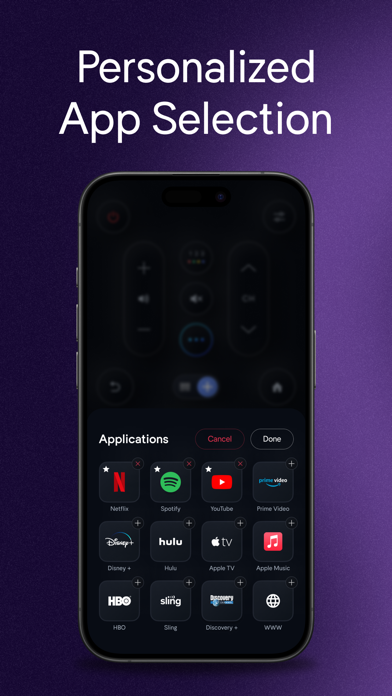
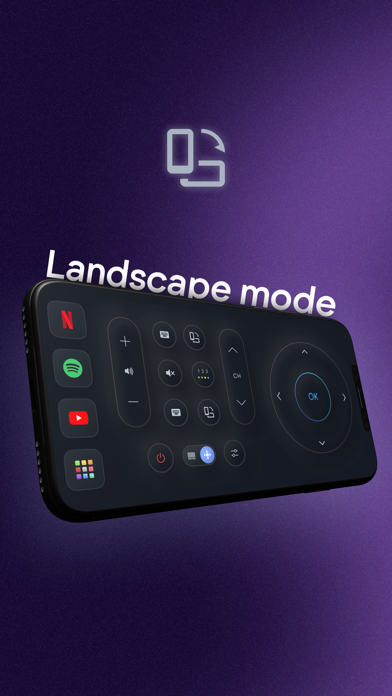
Controlla app provides a perfect solution for remote control of your Samsung TV. The sleek multi-button design ensures an intuitive, simple, and comfortable operation, giving you unparalleled control at your fingertips. We are seamlessly transforming your smartphone into a powerful remote control! Watch your favorite TV shows and movies using our unique streaming buttons for Netflix, Prime, and Youtube. Controlla makes watching what you love easier, browsing online, and accessing your favorite content. Let us make your TV experience more straightforward and seamless with the new Samsung smart remote. We created this app for people who want easy & fast access to control their Samsung TV from their mobile device! This app gives you complete control over your Samsung Smart TV, including all of the features of your old physical remote control and some more intelligent functions. To use Controlla, connect the mobile device and Smart TV to the same WIFI network and start using it. ***BUTTONS*** - Turn ON and OFF the TV (Supported models only) - Home button - Return button - Numbers keyboard buttons(Enter a channel number for jumping right to it) - Colors buttons (red, yellow, green, blue) - Change channels (next and previous ) - Increase or decrease the volume (also using the Phone side buttons) - Mute the sound (silent mode) - Change the source (HDMI, PC, AV...) - Access the 4 favorite buttons - Up / Down / Left / Right Navigation + center button “OK” - Play / pause / Reverse / Fast Forward. - Netflix button, Amazon prime button, and Youtube button - Settings button - Menu button ***FEATURES*** - No infrared equipment required, just Wi-Fi connection - Every time you open the app, your TV will be auto-connected for quick and easy access - Realistic and user-friendly app design - Light vibration when pressing buttons - Connect to multiple TVs with the same phone + option to switch between the devices Forget about the hassle of searching for the physical remote or dealing with clunky on-screen keyboards. Our app ensures a seamless and efficient control experience, putting you in command of your entertainment. Whether you're binge-watching your favorite series, exploring the latest movies, or catching up on YouTube videos, this app empowers you with the tools you need. With just a few taps, you can unleash the power of Controlla Samsung Smart Remote and take charge of your TV viewing - Simplify Your TV Control! Download Controlla now and Simplify your Samsung TV control from your phone. Premium Subscription Offer: Get full app access with an annual Premium subscription for seamless convenience, the subscription fee of $39.99/year (United States) will be billed to your iTunes account upon confirmation of purchase. Subscription Details: - Payment will be charged to the iTunes Account at confirmation of purchase. - Subscription automatically renews each year unless auto-renew is turned off at least 24 hours before the end of the current subscription period. - Your account will be charged for renewal within 24 hours prior to the end of the current period, at the original subscription rate. - Manage your subscription and turn off auto-renewal by going to your Account Settings after purchase. - Any unused portion of a free trial period, if offered, will be forfeited when you purchase a Premium subscription. - To restore a purchase on a new device or regain premium, tap "Restore Purchase" in the app settings. For support or inquiries, contact us in-app or visit https://www.controlla-tv.com/. Please review our Privacy Policy and Terms of Service for more information: Privacy Policy: https://www.controlla-tv.com/ Terms of Service: https://www.controlla-tv.com/controlla-tv-terms-of-use Prices may vary based on your region and are subject to change without notice. Local taxes may apply. --- Disclaimer: This app is not an official Samsung application or any other trademark. We are not affiliated with Samsung Electronics in any way.