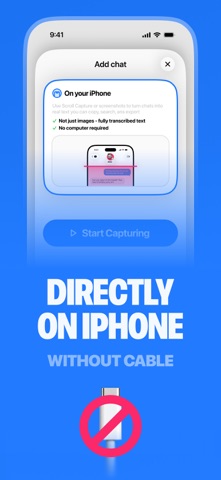
TextPort turns any text conversation on your iPhone into a print-ready, timestamped PDF, a searchable CSV spreadsheet, or a plain text transcript. Pick a conversation and TextPort pulls it straight out of iMessage, right on your iPhone. It works with iMessage, SMS, WhatsApp, Messenger, Instagram DMs, Telegram, Signal, Viber, Snapchat, WeChat, LINE, and more. No cable, no Mac, and no Apple backup needed. When you want your complete iMessage history, the companion TextPort desktop app for Mac and Windows exports full conversations from your computer. HOW IT WORKS 1. Open TextPort and tap Import 2. Choose the Messages conversation you want to export 3. Pick the date range you need, from a few days to the whole history 4. TextPort imports every message with its sender, wording, date, and time, in order. Export to PDF, CSV, or text, then print, save, or share FOR COURT AND LEGAL EVIDENCE TextPort produces clean, paginated PDFs with per-message timestamps and sender names. This is the format people file in family law, housing court, and civil disputes. People use it to prepare text messages for court, custody cases, divorce, small claims, HR complaints, and protective orders. No app makes a court-certified export; courts authenticate text messages through testimony that the export came from your own device and was not altered. The original conversation stays on your phone as a verifiable record that the export was not manipulated. TextPort leaves it untouched, so both the source and the export live on the same device, ready for lawyers, mediators, or insurance claims. THE STATE OF TEXTING AS EVIDENCE 2026 TextPort surveyed 1,081 U.S. adults about how people save, lose, and use text messages in disputes. 81% have screenshotted a text because they might need it as proof. 38% have had texts or DMs used in a legal, workplace, or other formal proceeding they were part of. 78% have deleted or lost messages they later wished they had kept. 32% of those who tried to save a full conversation found it hard or could not do it at all. The full report is free to read and cite on the TextPort website. WORKS WITH YOUR MESSAGING APPS TextPort works with messaging apps across your iPhone or iPad, including iMessage, SMS, WhatsApp, Facebook Messenger, Instagram DMs, Telegram, Signal, Viber, Snapchat, WeChat, and LINE. WhatsApp chats export to PDF with sender names, dates, and times. You never touch WhatsApp's chat-export file, dig through a backup, or email a chat to yourself. EXPORT FORMATS • PDF: save an entire text thread as a multi-page, timestamped, print-ready document • CSV: searchable spreadsheets for Excel, Numbers, or Sheets • Plain text: transcripts you can paste anywhere MORE WAYS PEOPLE USE TEXTPORT • Save text messages on iPhone permanently and archive years of conversations • Download text messages from iPhone before switching phones or a factory reset • Save a loved one's messages as a keepsake • Print WhatsApp chats as relationship evidence for USCIS applications • Document harassment for HR or the police • Keep business conversations for compliance and record-keeping WHY TEXTPORT • Works directly on your iPhone: most exporters are desktop software, but with TextPort you import, convert, and print text messages from iPhone, no computer needed • One app to export text messages from iPhone: an iMessage exporter that also handles the other chat apps on your phone • Desktop app included: extract text messages from iPhone backups and export your full iMessage and SMS history as a text message backup on Mac and Windows • A person answers your support questions, not a bot SUBSCRIPTION DETAILS TextPort is free to download; a subscription is required to export. A subscription unlocks unlimited message exporting, all file formats including PDF export, and premium customer support. Terms of Use: https://textport.com/terms Privacy Policy: https://textport.com/privacy