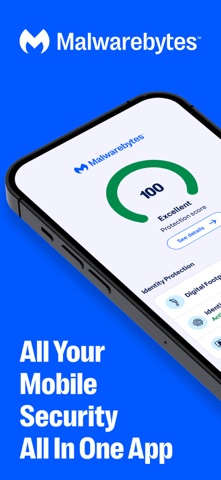
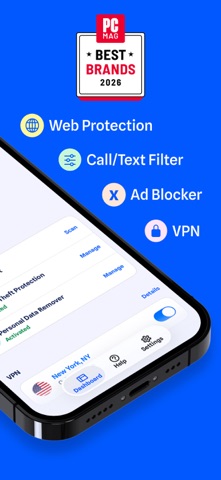
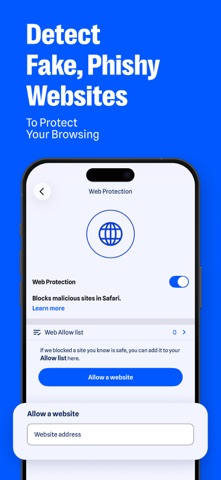
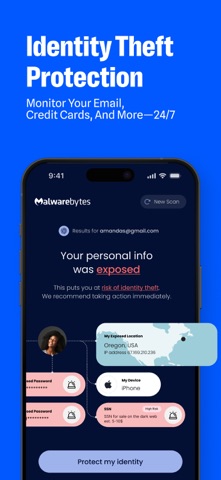
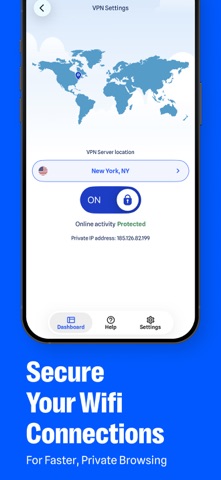
Malwarebytes delivers mobile security and digital protection beyond your device. We help protect you against online scams, harmful websites, annoying ads, sketchy calls, identity risks, and more. From banking to personal accounts, your phone carries some of your most important information. Malwarebytes keeps you safe with simple, smart security. Malwarebytes is designed for everybody: professionals, families, and first-time smartphone users. No complicated setup. No IT expertise needed. Just easy protection that safeguards your digital life. Start your 7-day free trial to unlock all features. SCAM & CALL PROTECTION Scammers use fake calls, texts, malicious links, and websites to imitate banks, delivery services, retailers, and other trusted brands. Alongside robocall filtering, Malwarebytes helps protect against: - Suspicious text scams and phishing attempts - Malicious links and unsafe websites - Brand impersonation and social engineering attacks - Annoying spam calls SAFER BROWSING & AD BLOCKER Web Protection: Blocks phishing sites and risky links before you enter payment or personal data. Ad blocking: Reduce intrusive ads and trackers while browsing. FAST VPN FOR PRIVATE BROWSING Incognito alone does not hide all of your online activity. Malwarebytes VPN helps protect your privacy on public Wi-Fi or while traveling. Encrypt your internet connection for added privacy Shield your IP address from trackers and advertisers Browse more safely on public Wi-Fi IDENTITY THEFT PROTECTION Your email addresses, passwords, and personal information may be exposed in data breaches without you knowing. Digital Footprint Scanner: Run an email scan and check where your personal information may have been leaked. Data breach insights: See where your information may have been exposed and review steps to help secure affected accounts. 24/7 monitoring: Get real-time support and up to $2 million in identity theft insurance WHY CHOOSE MALWAREBYTES? - Mobile security against scams, spam calls, sketchy websites, and more privacy risks. - Built by Malwarebytes, with 17+ years as a trusted name in antivirus and cybersecurity. - Secure VPN and digital footprint tools for added privacy - Simple protection without complicated setup - No third-party ads in the Malwarebytes app - 4 million daily threats blocked Malwarebytes for iOS FAQs: - Can Malwarebytes help protect my iPhone from scam texts and phishing links? Malwarebytes helps detect suspicious text scams, phishing attempts, malicious links, and brand impersonation. - Can Malwarebytes protect me on public Wi-Fi? Malwarebytes VPN encrypts your internet connection, protects your privacy on public Wi-Fi, and alerts you to turn on VPN whenever you join an unsecure network. - Can Malwarebytes check whether my information was exposed in a data breach? The Digital Footprint Scanner checks your email against known data breaches and shows you how to secure your accounts. - Does Malwarebytes scan iPhones for viruses? Because of iOS platform restrictions, Malwarebytes does not perform traditional malware-file scans on iPhone. Instead, it focuses on proactive protection against phishing sites, scam texts, spam calls, malicious links, and unsafe websites. TRIAL & DEVICE INFORMATION 7-day free trial: Unlock device protection features during the trial (Identity Theft Protection not included). Premium features require a subscription after the trial unless canceled. Manage your subscription in Apple ID settings. Family Sharing: Premium subscription features are not eligible for Family Sharing. Compatible with iOS 18 or later with an active internet connection. iPad users can benefit from Web Protection (Premium) and Ad Blocking (Included) for safer Safari browsing. Identity Protection features vary by region. Terms: https://www.malwarebytes.com/tos EULA: https://www.malwarebytes.com/eula