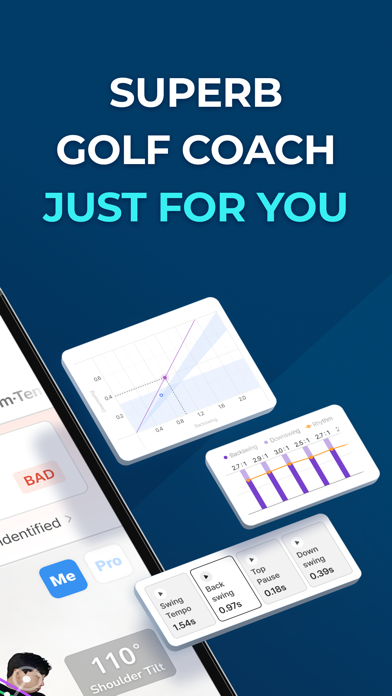
GolfFix is an AI golf swing analyzer and personalized AI coaching app designed to improve your game and create a stress-free golf life. Tired of finding the right golf coach? Feeling stuck with your golf skills even though you are getting lessons and training? Feeling frustrated because of an inconsistent golf swing? Wanting to get a longer distance? GolfFix can solve all your problems! Utilizing AI vision technology, GolfFix provides golf swing analysis and virtual golf coaching that auto-detects your flaws, providing immediate, detailed analysis and plan to improve your swing skills and accuracy. Practice with GolfFix to get your swing analysis & reports! Advanced AI Swing Analysis - Automatically detects and records your swing from address to finish, generating a complete swing sequence directly from your recording or imported video - Advanced issue detection that identifies over 45 swing issues using AI, each paired with a clear explanation, recommended solution, and visual example - Compare your swing with professionals or your past swings to measure improvement technique - Access AI-powered shot fix lessons that target your specific swing issues (Slice, Hook, Pull, Push, Loss of Distance, Skying, Fat Shot, Topping, Shank, Toe Shot) Rhythm, Swing Tempo Analysis & Golf Practice Drills Tools - Analyze your golf swing’s rhythm and tempo - Break down your swing into 4 parts to calculate the accurate rhythm and tempo; swing tempo, backswing, top pause, downswing - Training drills and proven techniques to make your rhythm and tempo consistent Focus Drill - Provides the right training and practice drills according to your level and swing style - Instant analysis and feedback on every practice swing you’ve made - no time to waste! Monthly AI Report - Monthly reports to see the results of your golf lessons - Compare and track your progress with yourself and other users’ - Check the most commonly occurred issue of your golf swing - Highlight the most improved issue of your golf swing mechanics and techniques - Track your daily practice streak - Review your average posture score over the month and compare your lowest and highest scored swing Global Golfer Community - Share your swings, tips, and golf experiences with players around the world in an engaging community hub - Communicate freely across languages with built-in translation that keeps conversations effortless and inclusive. Premium Features - Advanced AI analysis - Personalized swing recording, analysis and lessons - Shot fix lesson - Monthly report - Rhythm, Tempo, Focus Drill mode - Unlimited swing log view - Swing video Sync - 60 FPS video support (device may vary) - No ads With GolfFix, today is the best day of your golf life. ------------------------------------------- [Notice] - If any problem or error occurs while using Golf Fix, please don't hesitate to leave comments. - Any suggestions for new features are always welcomed and appreciated. - Inquiry : help@golffix.io - Privacy Policy : https://www.moais.co.kr/golffix-terms-en-privacyinfo - the terms of use: https://www.moais.co.kr/golffix-terms-en-tos - privacy policy and Terms of Use (EULA) : https://www.apple.com/legal/internet-services/itunes/dev/stdeula/ [Subscription Notice] - After the free trial or promotional discount period, the monthly or annual subscription fee (including VAT) will be automatically charged every billing cycle. - Subscription cancellation is only possible on the payment platform used, and service can be used during the remaining period upon cancellation. - Please check the policies of each platform for confirmation and refunds of payment amounts. - If you have not been upgraded to a subscribed member after payment completion, you can restore your purchase through "Restore Purchase History". - By subscribing, you agree to the terms of use. [Mandatory Access Authorization] - Storage: Swing analysis data record and save, Import video - Camera: Record video