AnkiMobile Flashcards

AnkiMobile Flashcards

By Anki Software, LLC

  • Category: Education
  • Release Date: 2010-05-27
  • Current Version: 25.09
  • Adult Rating: 4+
  • File Size: 45.80 MB
  • Developer: Anki Software, LLC
  • Compatibility: Requires iOS 15.2 or later.
Score: 4.03859
4.03859
From 2,358 Ratings

Description

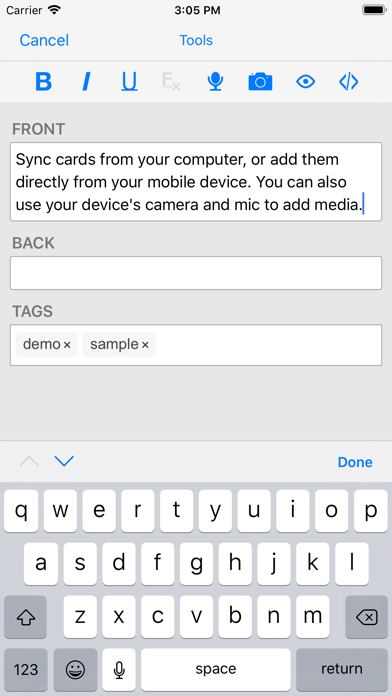
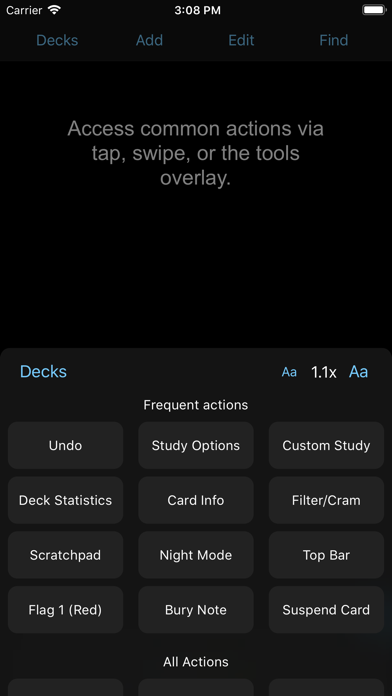
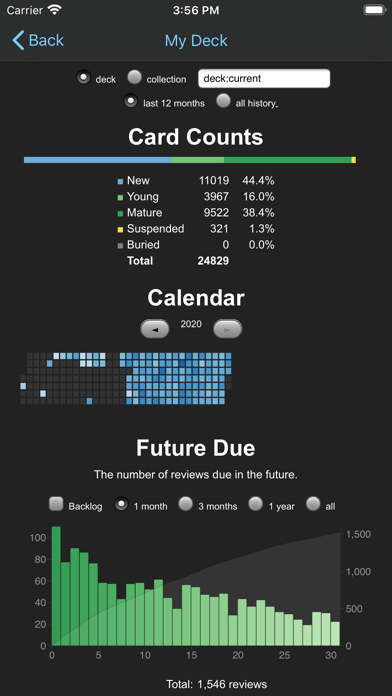
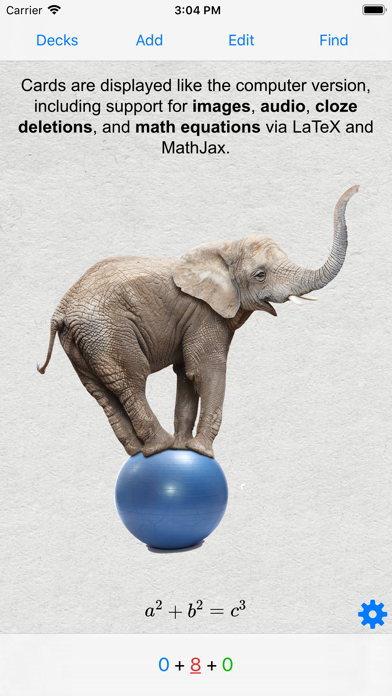
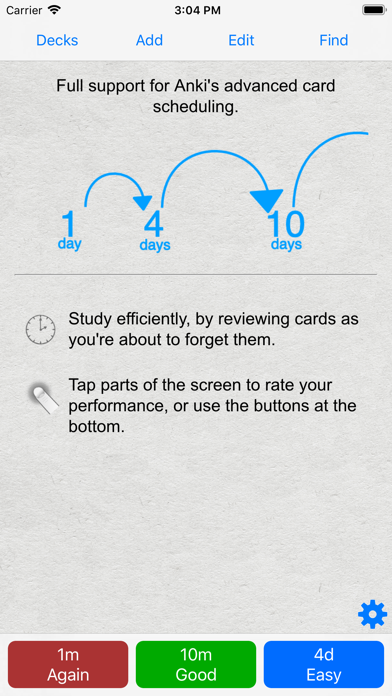
AnkiMobile is a mobile companion to Anki®, a powerful, intelligent flashcard program that is free, multi-platform, and open-source. Sales of this app support the development of both the computer and mobile version, which is why the app is priced as a computer application. AnkiMobile was written by the lead developer of Anki and AnkiWeb, and it has been around since 2010. Beware other apps using "Anki" in their name that have sprung up recently - they are not compatible with the rest of the Anki ecosystem, and they offer far fewer features, despite charging expensive subscriptions. Some of AnkiMobile's features include: - A free cloud synchronization service that lets you keep your card content synchronized across multiple mobile and computer devices. This makes it easy to add content on a computer and then study it on your mobile, easily keep your study progress current between an iPhone and iPad, and so on. - The same SM2 and FSRS scheduling algorithms that the computer version of Anki uses, which remind you of material as you're about to forget it. - A flexible interface designed for smooth and efficient study. You can set up AnkiMobile to perform different actions when you tap or swipe on various parts of the screen, and control which actions appear on the tool buttons. - Comprehensive graphs and statistics about your studies. - Support for large card decks - even 100,000+ cards. - If your cards use images or audio clips, the media is stored on your device, so you can study without an internet connection. - A powerful search facility that allows you to find cards that match criteria such as 'tagged high priority, answered in the last ten days and not containing the following words', and automatically place them into a deck to study. - Support for displaying mathematical equations with MathJax, and rendering LaTeX created with the computer version. - Support for adding images drawn with the Apple Pencil to your cards. Please note that AnkiMobile is currently intended as a companion to the computer version of Anki, rather than a complete replacement for it. While AnkiMobile is able to display and schedule your cards in the same way the computer version does, certain changes like modifying note types need to be done with the computer software. Add-ons are not supported, so while you can study image occlusion cards created with the computer version, they can not be created within AnkiMobile. For this reason, please start with the computer version of Anki before you think about buying this app. The cloud synchronization service is optional, and data can also be imported/exported from the app via a USB cable or AirDrop. Like all apps, AnkiMobile can be purchased once and then used on multiple devices in a household using the same Apple ID. Family sharing is also supported (apart from in India). For information on bulk discounts for educational institutions, please see Apple's Volume Purchase Program. For more information on AnkiMobile, including a link to the online manual, please have a look at the support page: https://docs.ankimobile.net/support.html. If you have any questions or want to report an issue, please let us know on our support site and we'll get back to you as soon as possible.
Screenshots

Reviews

  • Needs major work for images

    1
    By Ill Kate
    Images just don’t load. When I’m using the desktop version, everything is working great. The app has some sort of server download issue for images where it just doesn’t download them and labels them as missing.
  • Abysmal, steep learning curve

    1
    By elizabethajj
    If you want something simple, accessible, and user friendly, do not get this app. For the most basic language vocabulary you have to comb through tens of thousands of decks made by random people full of mistakes with thousands of cards. There is no simple “top 300 most common words” in a foreign language for example. And you have to leave the app, use a browser to comb through a junky insensible list, download a deck, and then it might not even import to the app correctly. Waste of money.
  • A litter disappointed with this pay version

    3
    By Sterdff13
    there is no create copy function button. I paid for this iPad version to support. But it is much worse than the computer version.
  • I LOVE this app!

    5
    By mswendysmith
    Currently, I’m using this for my medical terminology course. From what I can tell, instructors tend to be more into recommending paper flashcards. I hope at some point they become more acquainted with electronic ones. For me, it took a bit of time learning how to use Anki, but it’s been well worth the effort! Another advantage to making flashcards this way is that it forces you to think about organizing items in a more detailed way than if you were making paper versions.
  • I Love It!

    5
    By Kuzon A.
    So many great decks available AND you can sync between devices.
  • Worth it

    5
    By Jeseney
    Absolutely worth it. Takes a bit to figure out where all the buttons are for adjusting the rate of cards/days or hours and whatnot, but once you've got the hang of it, the app is so excellent. Great way to support the developers and actually study on the go whenever you want to
  • Refund needed

    1
    By Dr Shadaz
    I downloaded by mistake thinking this would generate cards I need my money back !
  • Love Anki

    5
    By Puzzler III
    Anki is probably the best program you can use for learning a language. I initially was hesitant to buy the app bc of the price, but it was definitely worth it to be able to study when I’m not at home, and after using the free desktop version for years it was nice to support the developers. My only issues with the app are I wish it would auto-sync when you open the app (and would be nice for it to auto-sync when you exit out of a deck), but remembering to click the sync button before and after every session isn’t a huge deal. I also wish you could change a deck’s settings from the app, but that’s also not a huge problem.
  • Not Beginner Friendly

    3
    By una.lindström
    My experience with open-source isn't negligible, so I feel a little annoyed about this app's presentation. Flash-card nomenclature must be something else, because just trying to sort the cards in your deck is a bizarre and not entirely successful endeavour, which always sucks. Seems like a little 'quick-start' guide might bring in a lot of backers.
  • Terrible

    1
    By AlexiusDante
    Way worse than AnkiDroid. Completely unusable and searching through tags is impossible

Comments

keyboard_arrow_up