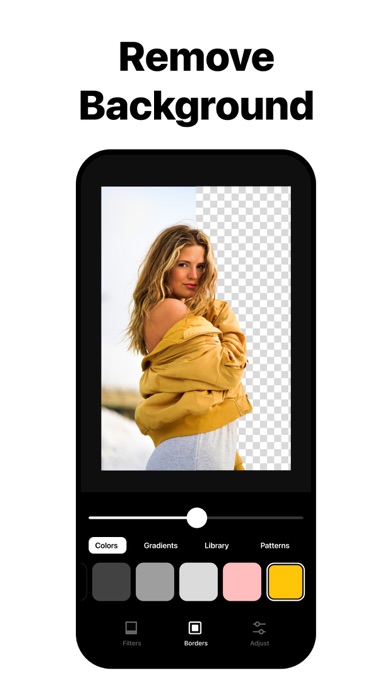
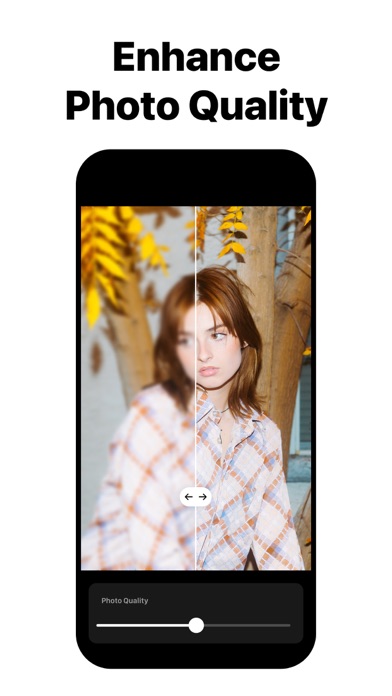
With over 100 million creators, InstaSize is the complete photo editor + crop made just for you. Easily edit and resize photos or videos with premium photo filters, presets, cropping, and color editing tools. Quickly combine images to make a fun, one-of-a-kind photo collage layout. Resize and crop your photo or video to fit perfectly on any social platform including Instagram, Snapchat, Pinterest, Twitter and more. MAGIC FILL™ • Easily Expand and uncrop your image to fit any aspect. • Use cutting-edge AI to intelligently generate pixels, ensuring extensions blend seamlessly with the existing image, maintaining quality and integrity. • Perfect for eliminating white borders and fitting images into any aspect ratio, making it ideal for social media, web design, and all forms of digital content creation. OBJECT REMOVAL • Effortlessly remove unwanted objects from your photos with precision, letting your images look clean and professional. FREE PHOTO EDITOR • Instantly make your photos look better with our free photo filters and presets. • Enhance your image with powerful photo editing tools including contrast, exposure, saturation, grain, and clarity RESIZE & CROP • Quickly resize photos and crop videos for social networks including Instagram, TikTok, Twitter, Pinterest, and more. • Crop pictures to the perfect format every time — the ultimate image cropper tool. BACKGROUND REMOVAL • Instantly transform your photos with our powerful background removal tool. • Effortlessly isolate your subject for a clean, professional look. • Perfect for product images, profile photos, or creative edits BATCH EDIT • Revolutionize your image processing with our robust batch editing tool. • Quickly process and edit multiple images simultaneously. Applying changes such as resizing, presets and adjustments across all your photos. • Maintain consistent high-quality results across all images, ensuring your resized photos maintain clarity and quality FREE VIDEO EDITOR • Quickly create and edit videos with our easy-to-use video editor. • Edit your videos with our premium video filters and effects. • Crop and export video for any format size including Instagram Stories, TikTok, and Snapchat. FILTERS & PRESETS • Over 130 filters for photos and videos makes it easy to add your favorite presets on any image. • From natural look filters to retro aesthetic presets, there is always the perfect filter for your photo or video. COLLAGE MAKER • Easily combine multiple photos with our easy to use free photo collage maker app. • Choose your favorite photo collage template from hundreds of different possible layouts. • Try different frames and backgrounds to give your photo collage a unique touch. PREMIUM Unleash your creativity with InstaSize Premium! Transform your photos effortlessly with our exclusive tools: • Magic Fill: Easily Expand and uncrop your image to fit any aspect. • Object Removal: Say goodbye to unwanted distractions with just a tap. • Background Remover: Instantly isolate your subject for a clean, professional look. • 130+ Premium Filters: From retro vibes to natural aesthetics, get the perfect filter for every mood. — Instasize Premium will automatically renew unless auto-renew is turned off at least 24 hours before the end of the current period. Payment will be charged to your iTunes Account at confirmation of purchase. You may manage your subscription and turn off auto-renewal by going to your Account Settings after purchase. Terms of use: http://instasize.com/terms Privacy Policy: http://instasize.com/privacy