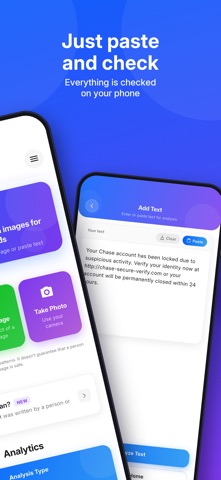

Got a text, email or screenshot that feels off? Defendorai tells you in seconds if it looks like a scam, why, and what to do next. Everything is checked right on your phone, so your messages never leave it. NEW: AI OR HUMAN? Paste any message, email or post and see whether it was likely written by a person or by AI. A simple gauge shows the answer, along with the clues behind it. HOW IT WORKS • Paste text, upload a screenshot, or take a photo • Get a clear verdict: Looks Legit or Potential Threat, with a threat level • See why it was flagged, in plain language • Get a recommendation for what to do next WHAT DEFENDORAI LOOKS FOR • Phishing: requests for passwords, PINs or one-time codes • Pressure tactics: urgency, threats, "act now or lose your account" • Payment scams: gift cards, crypto, fake fees, refunds or prizes • Impersonation: messages pretending to be your bank, a delivery company or a government agency • Requests for personal details like your SSN or ID • Pushy links and phone numbers that steer you away from official channels PRIVATE BY DESIGN • Messages are analyzed on your device, not in the cloud • No account or sign-up needed • Scanning works even without an internet connection IN ENGLISH AND SPANISH Switch languages anytime in Settings. GOOD FOR • Checking a text before you tap a link or call back • Double-checking an email that claims your account is locked • Helping parents and grandparents spot scams • Finding out whether a message, review or essay was likely written by AI Defendorai helps you spot common scam patterns, but no tool catches everything. Always use your own judgment, and contact companies through their official website or phone number when in doubt. Stay alert. Stay safe.