GarageBand

GarageBand

By Apple

  • Category: Music
  • Release Date: 2013-10-22
  • Current Version: 10.4.14
  • Adult Rating: 4+
  • File Size: 697.96 MB
  • Developer: Apple
  • Compatibility: Requires iOS 15.6 or later.

Description

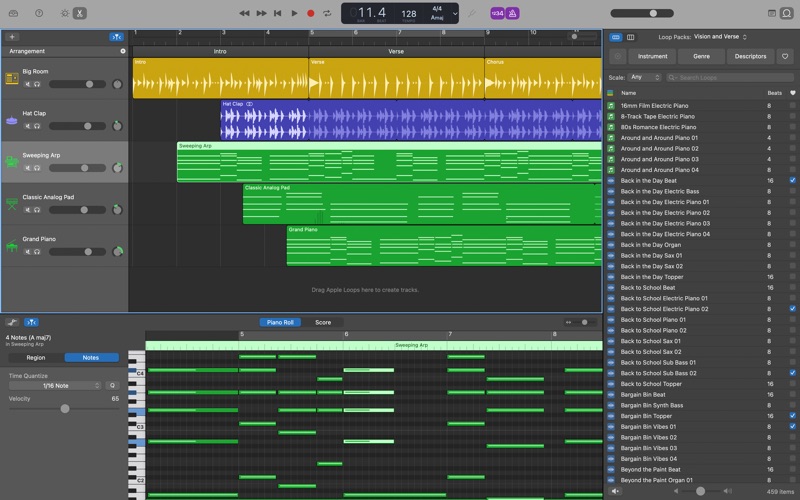
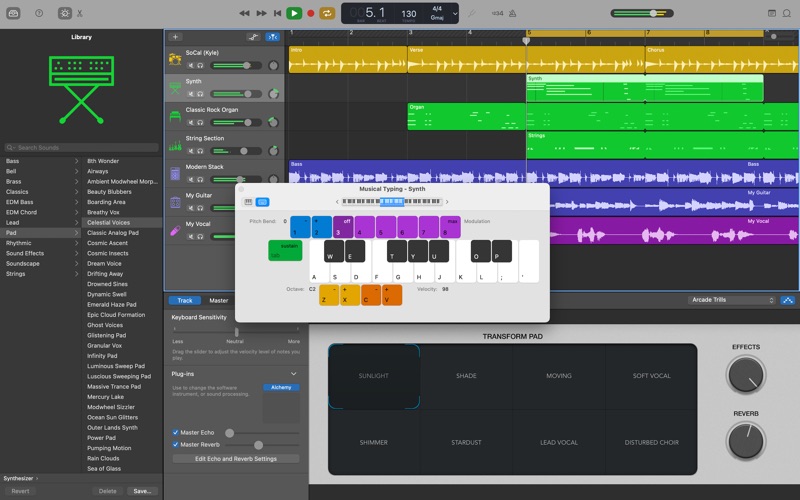
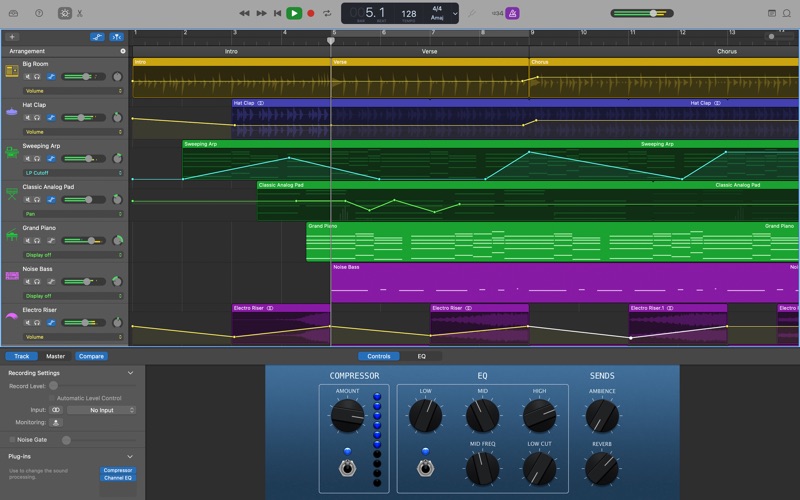
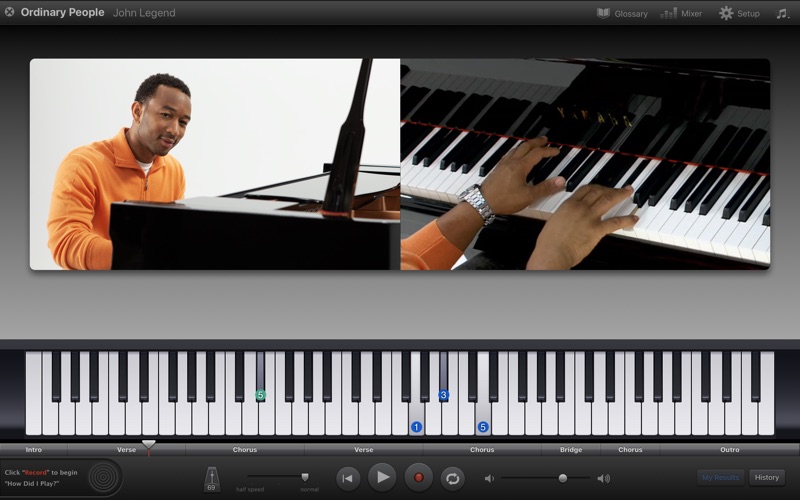
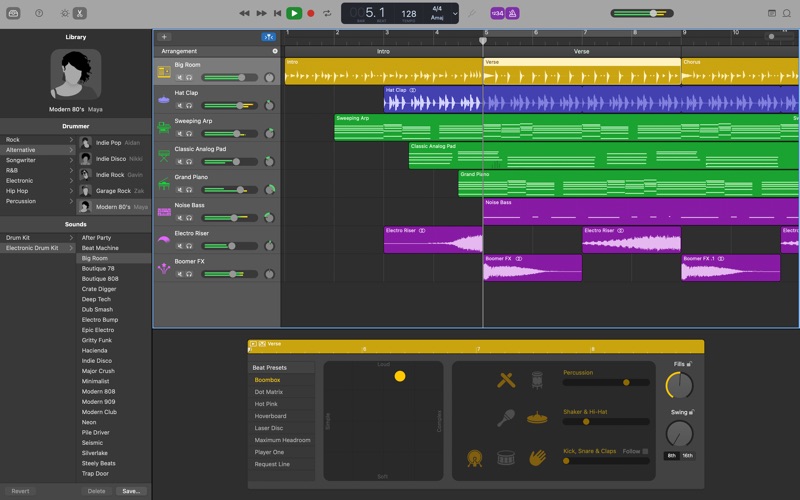
GarageBand is the easiest way to create a great-sounding song on your Mac. Add realistic, impeccably produced and performed drum grooves to your song with Drummer. Easily shape the sound of any instrument in the Sound Library with Smart Controls. Mix and match electric guitar amps, cabinets, and pedals with Amp Designer and Pedalboard or crank up the bottom end with Bass Amp Designer. Control GarageBand and play any software instrument wirelessly on your iPad using the Logic Remote app. Use iCloud to keep your GarageBand projects updated across multiple Mac computers, or even import GarageBand for iOS songs directly from iCloud. Intuitive Design • Simple interface designed for easy music making • Find the sweet spot in every track with the interactive visual EQ • Enable Quick Help and get useful hints wherever you hover your cursor Drummer • Add a virtual session drummer, percussionist, or beat producer to your song that takes direction and plays realistic beats • Choose among 33 players from popular genres like EDM, Hip Hop, Rock, and Alternative • Use a simple set of controls to shape your drummer’s performance • Each player can perform over a million unique groove and fill combinations Sound Library • Get inspired with a fresh new collection of sounds and instruments from some of todays biggest producers • Explore new Apple Loops covering the latest electronic and urban genres • Drummer loops can be added to your song and then customized with performance controls Smart Controls • Easily shape any sound in the library with a custom set of knobs, buttons, and sliders • The look and personality of Smart Controls changes with each instrument Amps and Stompboxes • Use Bass Amp Designer to dial up classic and modern tones • Build your own guitar rig with Amp Designer using 25 legendary amps and cabinets • Design a custom Pedalboard from a collection of 35 fun and creative stompbox effects Record. Mix. Master. • Create a song with up to 255 tracks • Quickly change the timing of an audio recording using Flex Time • Use Groove Track to align the rhythm and timing of all your tracks with a single click • Choose your best performance with multi-take recording iCloud • Use iCloud to keep your GarageBand projects up to date across your Mac computers • Start a song anywhere on your iPhone, or iPad, then import it wirelessly to your Mac to take it even further • Remotely add new tracks to your project using GarageBand on your iPhone or iPad Works with Logic Remote • Use your iPhone or iPad and Multi-Touch gestures to wirelessly play any GarageBand instrument on your Mac • Access Smart Controls on your iPad to shape any sound while you’re playing • Navigate your song and browse the Sound Library from your iPad Learn to Play • Get started with 40 Basic Lessons for guitar and piano covering classical, blues, rock, and pop • Free Artist Lessons show you how to play a hit song taught by the artist who made it famous
Screenshots

Reviews

  • Very unpleased with new update

    1
    By CleetustheYeetus

    It automatically just deletes my drum files now and I have to re-record the entire session and now split tracks independently to edit them, 9/10 times still deleting said recorded tracks without a way to put them back in.

  • Great app would use again

    4
    By LewisFam07
    It’s very simple and straightforward, but sometimes a bit confusing. I use it a lot to record music, but the editing is a little too confusing. this is just me, Im not very good at recording
  • Glitching too much, and deleting perfect clips

    2
    By AGuyWhoHatesEverything
    You guys need to fix the bugs IMMEDIATELY!!! I can’t take having to record something and when I want to edit the other clips mysteriously disappear and along with that, When I do have something recorded perfectly, it ends up glitching my voice out periodically. FIX IT, NOW.
  • Navigaitions

    4
    By Frog fox
    I like it overall it’s interactive and stuff but it is hard to navigait beyond the tools you already have.
  • Once a great app…now it’s buggy and doesn’t work

    1
    By kohlerj20
    There was a time when GarageBand was a fantastic free app from Apple. Now, simply trimming an audio clip causes endless crashing. Seriously, I can’t even trim a 10 second audio clip without the app crashing. I have tried re-installing, resetting, and everything under the sun. Something has gone wrong in quality control. This is no longer the gold standard of free audio editing apps it once was. Don’t waste your time.
  • Update Broke it

    1
    By NOT.The_Gallery
    Recording multiple takes now distorts the timeline into the ugliest thing I’ve ever scene. Borderline useless. How can they ship out an update in this condition is beyond me. Seems like it was done on purpose to force you to get Logic instead. Wild stuff right here.
  • Minor Glitches Recently

    5
    By Devwyaa
    I love this app to death bro, been using my whole music career. But it’s been starting to crash a lot lately. Every time I try to trim an audio recording it just completely gives up. Ruins the mood really, can you fix @apple?
  • It’s sad that they abandoned the app

    4
    By KIVagant
    I am using it for years and it’s an amazing app that comes with the OS. Although, it is kind of sad that no significant new features have been introduced for years. I hope it will get some attention one day.
  • Crashes when adding a drummer track

    2
    By Gizmo Duck
    With GarageBand fully up to date on my M1 Mac Pro, in a simple project with 3 audio tracks, 4 minutes long, when I try to add a Drummer Track it just crashes every time… Shouldn’t this be an easily caught and avoidable bug with such a mature product?
  • Absolute garbage!

    1
    By cb1963
    This app keeps muting all my tracks, apple has no solution for this, so don’t waste your time. I have no faith in their ability to fix it.

Comments

keyboard_arrow_up