Google Calendar: Get Organized

Google Calendar: Get Organized

By Google

  • Category: Productivity
  • Release Date: 2015-03-10
  • Current Version: 26.26.0
  • Adult Rating: 4+
  • File Size: 306.69 MB
  • Developer: Google
  • Compatibility: Requires iOS 17.0 or later.
Score: 4.5362
4.5362
From 130,884 Ratings

Description

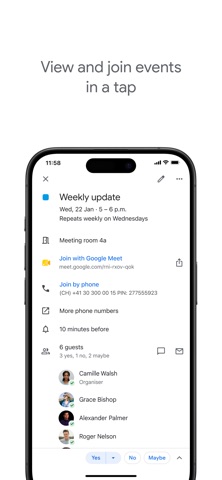
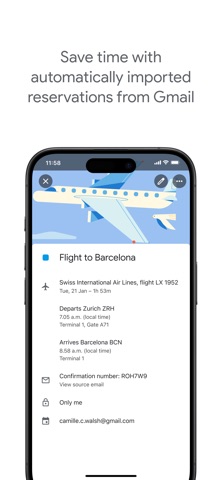
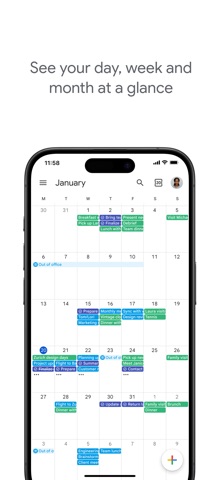
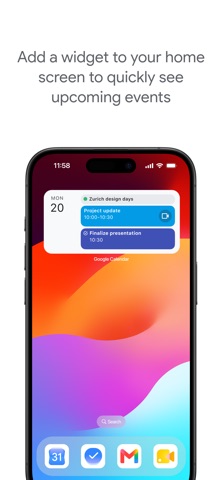
The official Google Calendar app helps you stay organized and plan your day with easy event creation, multiple calendars, customizable views, widgets, and tasks. With Google Calendar, you can: • Get events automatically added to your Calendar from Gmail, including flight, hotel, concert, and restaurant reservations. • Go from using Calendar on your iPhone, iPad, or Apple Watch to your computer without missing a beat when you’re logged into the same Google account. • Consolidate and view Google Calendar events side-by-side with other calendars on your device, including Exchange and iCloud. • Keep family, friends, and colleagues in the loop with shared calendars, so they can view, add, or modify events. • Quickly switch between month, week, and day views. • Stay on top of to-dos by creating and managing tasks alongside your events in Calendar. • Personalize your Google Calendar with light or dark mode or by color-coding your events • Always know what's next while on the go with Google Calendar on Apple Watch by customizing your watch face with Calendar complications or adding widgets. Google Calendar is part of Google Workspace, allowing you and your team to easily connect, create, and collaborate across all your favorite Google tools. You can: • Collaborate in a hybrid work environment by adding a Google Meet video call to an Calendar event • Get access to professional booking pages to easily book clients and customers*. • Schedule meetings with teammates by checking their availability or layering their calendars in a single view • Add your working location to your calendar to make it easier for your teammates to schedule meetings with you*. • Keep everyone on track for a meeting by attaching meeting notes, pre-read materials, and other documents directly to a calendar event. • Use Google Calendar with confidence knowing it’s supported by Google’s enterprise-level privacy, user safety and data security. * Requires a Google Workspace or Google One AI Premium subscription
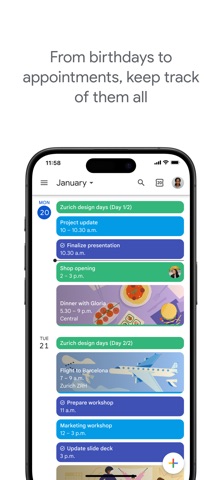
Screenshots

Reviews

  • Fix please! Problems update

    4
    By Pen319
    After update I cannot get this option on iPhone: Go to a specific day On your iPhone or iPad, open the Google Calendar app Calendar. At the top left, tap the month name. For example, January Down Arrow. Swipe left or right to go to other months. Tap a date to find events on that day. Get back to today: At the top right corner, tap Jump to today . Please fix ASAP!
  • #31

    2
    By Sandabeachgirl
    Why does the number 31 appear on the face of the calendar every day? Why not the true daily #????
  • The Best!

    5
    By Shade O.
    Google Calendar is sooo easy to use! It has all the features you could want. It truly is a GEM of a tool! Keep it up!
  • New month/day view is a disappointment

    1
    By @ripple
    The recent update significantly change the UI/UX on what is otherwise a great app. Not a fan #fail
  • What happened to the pull-down month calendar?

    3
    By MimiMondays
    I was loving this calendar! Why did you take away the pull down month calendar? I use that constantly to add future appointments and now the options are so bare!!!!
  • Lost sync with iCloud

    1
    By A daily traveler
    New update does not allow any iCloud calendar events to show in Google Calendar app. Google and apple need to figure it out.
  • Change was unnecessary

    4
    By Disappointed19
    Change was unnecessary. I would like see the day and month view at the same time. I miss that function. I am currently looking new choice. Totally unnecessary.
  • Add light and dark options

    3
    By Mama D 4
    Love the app well everything about it except for the fact that I have my laptop and light mode and I keep my iPhone in dark mode, but I want my Google Calendar and all the colors to match up with how having on my laptop so I want my Google Calendar app to be on light mode and it won’t let me have my Apple on light mode unless I change my entire iPhone to light mode and I don’t want my entire iPhone online mode. I want my entire iPhone on dark mode with my Google Calendar app on light mode and it won’t let me do that so fix it.
  • Terrible notifications

    1
    By Pecos Bill
    The sound is not unique (same as email). I miss so many meetings because of that. It should have a sound picker with system based options in addition to added included ones
  • Notifications are useless now

    1
    By m72727
    The most recent update changed notifications to just show the video chat link rather than the title of the event, which makes notifications completely useless. Who tested this and thought it was a good idea?
Comments

keyboard_arrow_up