Xbox Family Settings

Xbox Family Settings

By Microsoft Corporation

  • Category: Lifestyle
  • Release Date: 2020-09-23
  • Current Version: 2025.11.14
  • Adult Rating: 4+
  • File Size: 78.90 MB
  • Developer: Microsoft Corporation
  • Compatibility: Requires iOS 13.4 or later.
Score: 4.11659
4.11659
From 6,064 Ratings

Description

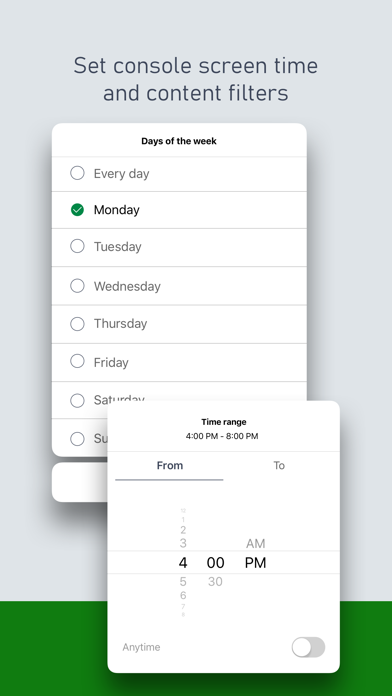
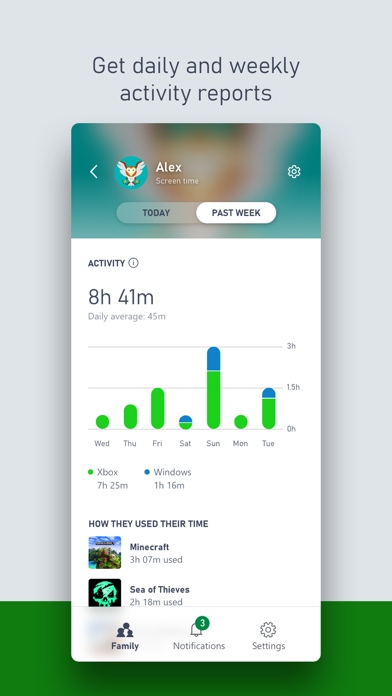
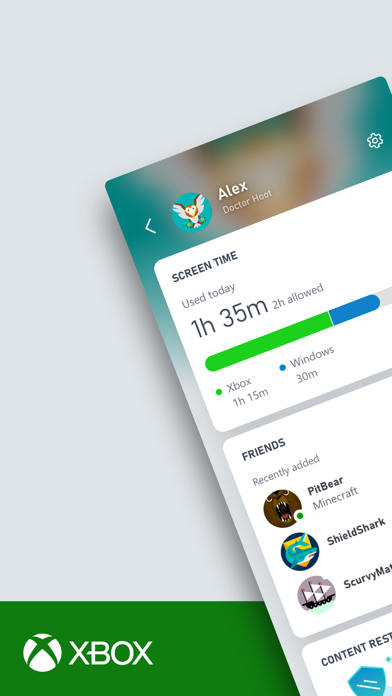
Game time now comes with more peace of mind with the Xbox Family Settings app. Easily manage your children’s activities on Xbox consoles and enable gaming options that are right for your family. Quickly get into the fun by adding your children to your family account in a snap. Set screen time, update content restrictions, and stay on top of incoming friend requests, all in real time. Please refer to Microsoft’s EULA for Terms of Service for Microsoft’s gaming applications on iOS. By installing the app, you agree to these terms and conditions: https://aka.ms/MobileGamingEULA
Screenshots

Reviews

  • Infuriating Garbage

    1
    By Murnen
    Microsoft makes it possible to add money to a child’s account. Everytime I try it first forces you to use predefined amounts ($10, $25, etc) and if one transaction goes through (big “if”) the second attempt is guaranteed to lock the account. Then it gives an opaque garbage error message, without telling you the actual problem. It offers a useless support doc. You have to hunt around to find a support number to call. Then bounce at and the phone system. Only to end up with a support person that cannot fix it and instead wants you to add a credit card to the child account as a work around. What is the point of a parent account if you have to put a credit card directly in the child’s hands. Stop making it so hard to spend money. I only go through this three times a year—birthday, thanksgiving, christmas. Same thing everytime. I end up wasting 2–3 hours every time. Microsoft, learn how to make painless customer experiences or get out of customer facing business lines.
  • Not Great Bob

    2
    By SmittyitUp
    Slow and Clunky. For a software company they sure do make terrible apps.
  • Time extensions not working

    1
    By Ttowntony
    Since the last update, time extensions in the app aren’t updating so I had to remove time restrictions entirely so they the kids could play more over the holiday weekend.
  • Time management

    1
    By lclark0225
    Ever since the new update my time management feature won’t load so I can’t add time or anything!
  • Nothing works

    1
    By AyyRobbayy
    Time tracking doesn’t work. Keeps automatically turning off. Also can’t set time limits they automatically turn off as well
  • Clunky Programming

    3
    By KingLightBright
    Tried to give kids more screen time. It took 8 attempts and 3 Xbox restarts for it to recognize the fact that I had removed the screen time restrictions. It’s disappointing that something as important as parental controls is this inconsistent. With the resources Microsoft has, I expected a smoother, more dependable experience.
  • Really good effort

    5
    By Hickman2015
    They do really good at everything I wish they could lock down more who can and can’t talk to your kid but it is a huge platform. Their efforts are amazing and I am happy with what they have to offer. This does help manage my 10 year old!
  • App crashes nonstop

    1
    By PrimaryCanine
    First time needing this app since getting a new phone several months ago, but when I downloaded it, I’m unable to login. It brings me through the welcome “tour” then when the sign-in screen comes up, as soon as I tap on the email box to enable the keyboard the app crashes. I’ve uninstalled and reinstalled 3 times, turned my phone off and on again. App is just trash 🙄 Microsoft family safety app works fine, but doesn’t have privacy/communication settings for Xbox, that one is just screen time for windows,Xbox, and mobile. Why not just make all the settings in one place 🙄🙄🙄🙄🙄🙄
  • App is poor

    1
    By dpisio
    This app crashes and won’t stay open long enough to even log in!
  • Crashes repeatedly. Can’t even sign in after reinstall.

    1
    By jasonkarns
    Can’t add money. Can’t submit feedback. This must be the “30% of our code is vomited by AI” that MS keeps bleating.

Comments

keyboard_arrow_up