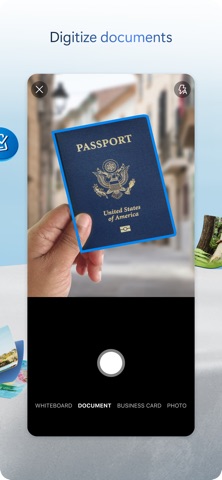
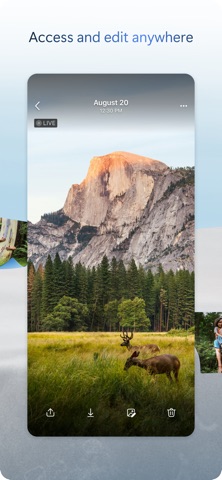
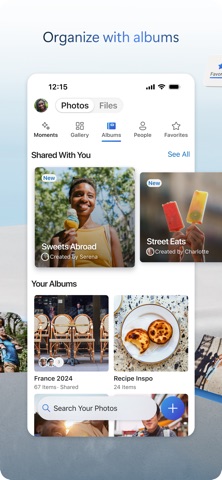
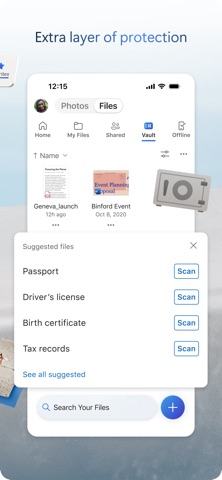
Microsoft OneDrive keeps your photos, videos, and files backed up, protected, synced, and accessible on all your devices. The OneDrive app lets you view and share OneDrive files, photos, and videos with friends and family. You can use the app to automatically back up your phone's photos and videos. Start with 5 GB of free cloud storage or upgrade to a Microsoft 365 subscription to get up to 1 TB. Microsoft OneDrive Features: Back up photos and videos • Automatic photo and video backup when you turn on Camera Upload • View photos and videos on your phone, computer, and web browser File sharing and management • Share files, photos, videos, and albums with friends and family • Get notifications when a shared document is edited • Set password-protected or expiring sharing links* • Access entire folders on the app even when there is no internet connection* Scan • Scan and save documents, business cards, receipts, whiteboards, and more • Mark up, sign, and send docs right from the OneDrive mobile app Search • Search docs by name or content Security • Personal Vault lets you protect your important files with identity verification • Restore documents with version history on all files • Ransomware detection and recovery* Works with Microsoft Word, Excel, PowerPoint, OneNote, Outlook • Back up, view, and save your Office documents. • Use Microsoft Office apps to edit and collaborate in real time on Word, Excel, PowerPoint, and OneNote files stored in OneDrive. • Edit documents offline and save them once you are back online Upgrade to a Microsoft 365 Personal or Family subscription: • 1TB of storage (1TB of storage per person for up to 6 people with the Family subscription) • Access OneDrive premium features • Get access to Word, Excel, PowerPoint, Outlook, and OneNote on iPad, iPhone, and iPod touch • Install Word, Excel, PowerPoint, and Outlook on PCs or Macs. • Bigger personal vault • Keep your shared files, folders and photos more secure by giving others access for a limited period of time • Ransomware detection and recovery • Offline Folders: Stay productive and access entire folders even when there is no internet connection • Increase your sharing limit and share 10x content per day with friends and family You can also purchase additional cloud storage only, with a Microsoft 365 Basic subscription. This is enough cloud storage for 32,000 photos (9 MP JPEG photos) or 132,000 documents (.7 MB Office files). To make an in-app purchase of a Microsoft 365 Basic, Microsoft 365 Personal, Microsoft 365 Family subscription: open the app, tap the Me tab, then tap Get More Storage or the Go Premium diamond icon. Subscriptions begin at $1.99 a month in the US, and can vary by region. Microsoft 365 subscriptions purchased from the app will be charged to your Apple ID and will automatically renew within 24 hours prior to the end of the current subscription period, unless auto-renewal is disabled beforehand. To manage your subscriptions or to disable auto-renewal, after purchase, go to your Apple ID account settings. A subscription cannot be cancelled or refunded during the active subscription period. Using this OneDrive app for work or school For you to sign into your work or school account on OneDrive, your organization needs to have a qualifying OneDrive, SharePoint Online or Microsoft 365 business subscription plan. Privacy This app is provided by Microsoft. Data provided through the use of this store and this app may be accessible to Microsoft and transferred to, stored, and processed in the United States or any other country where Microsoft or its affiliates maintain facilities. Privacy Policy: https://go.microsoft.com/fwlink/?LinkID=507539. Terms of Use: https://go.microsoft.com/fwlink/p/?LinkID=246338. Consumer Health Data Privacy Policy: https://go.microsoft.com/fwlink/?linkid=2259814. *Requires Microsoft 365 Personal or Family subscription