Link to Windows

Link to Windows

By Microsoft Corporation

  • Category: Productivity
  • Release Date: 2023-02-28
  • Current Version: 1.25101.7
  • Adult Rating: 4+
  • File Size: 98.03 MB
  • Developer: Microsoft Corporation
  • Compatibility: Requires iOS 16.6 or later.
Score: 3.94772
3.94772
From 9,603 Ratings

Description

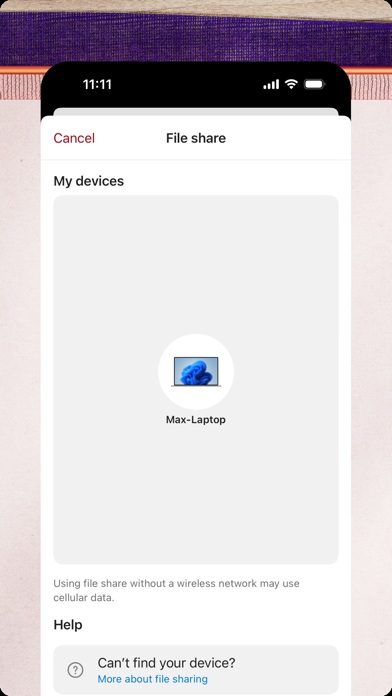
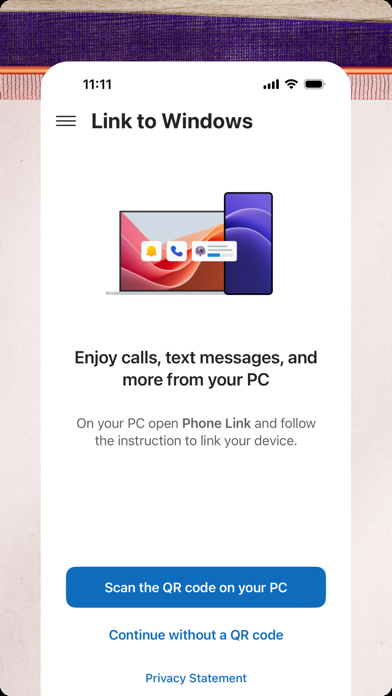
You love your phone. So does your PC. Get instant access to everything you love on your phone, right from your PC. To get started, connect your iPhone with the Phone Link Feature on your Windows PC. Enjoy these Phone Link features on your PC: • Make and receive calls • Manage your phone's notifications • Read and reply to text messages • View your phone contacts • Share files between your phone and PC Phone Link for iOS requires iPhone running iOS 16 or higher, and a PC with Bluetooth Low Energy (BLE) support running Windows 10 (with the May 2019 Update or later) or Windows 11. Not available for iPad (iPadOS) or MacOS. By installing this app, you agree to the Microsoft Terms of Use https://go.microsoft.com/fwlink/?LinkID=246338 and Privacy Statement https://go.microsoft.com/fwlink/?LinkID=248686

Screenshots

Reviews

  • Rashel computer

    5
    By Rashel compu
    Amazing
  • Multimedia Support

    4
    By Jamexicano
    It’s overall pretty good . I like the support for both ios and android devices. I just would like to see the feature to have an image copied from my computer(on browser/e.g) to be sent in a message to others or myself in phone link application
  • Perla

    4
    By Perla5646
    Genesis 2020
  • No longer works

    1
    By IB#2013
    Use to work really well for file sharing between HP laptop and iPhone. Now the files just don’t show up in the Link to windows app.
  • Very good

    5
    By HangLoose06
    But sometimes it has trouble connecting
  • Only option. Needs work

    3
    By NolaPadrino
    I’ll give it the 3 since it works (sometimes). But not sure why they cannot figure out attachments, group texts, etc.
  • Not reliable needs work

    2
    By rcthomper
    Does not work with group chats. Links and images don’t display. Upon refresh only some text messages refresh, not all of them.
  • Better than nothing

    2
    By DanSpokane
    This app is better than nothing but it’s not great. It can’t do group texts, it doesn’t recognize when I’ve read a text on my phone (I.e., still shows as unread in the app), it doesn’t show pictures, etc.
  • Great most of the time

    4
    By sunnysma
    It’s fab for this older lady whose thumbs never learn ed to text!
  • Review from Jeepu

    2
    By Las Trampas
    FAR too tricky.!Going forwards & backward between iPhone & PC with OTP, MS password, Send to phone, Send to Phone Link, Link to Windows, etc. I am NOT SURE what I am doing, but I was able to send my VO audition file from PC to iPhone, so I can hear it later in the car or elsewhere on iPhone to improve VO performance. This application requires SERIOUS REVIEW on EASE OF USE functionality. Good luck !

Comments

keyboard_arrow_up