Microsoft Outlook

Microsoft Outlook

By Microsoft Corporation

  • Category: Productivity
  • Release Date: 2019-01-26
  • Current Version: 16.111.1
  • Adult Rating: 4+
  • File Size: 927.85 MB
  • Developer: Microsoft Corporation
  • Compatibility: Requires iOS 14.0 or later.

Description

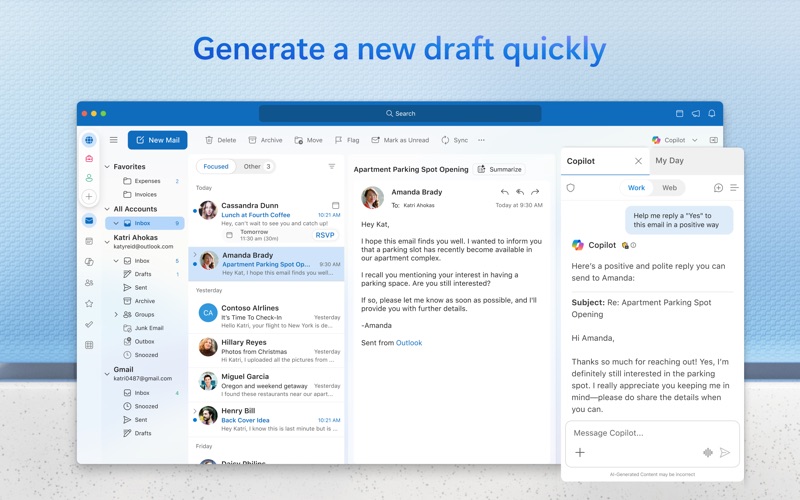
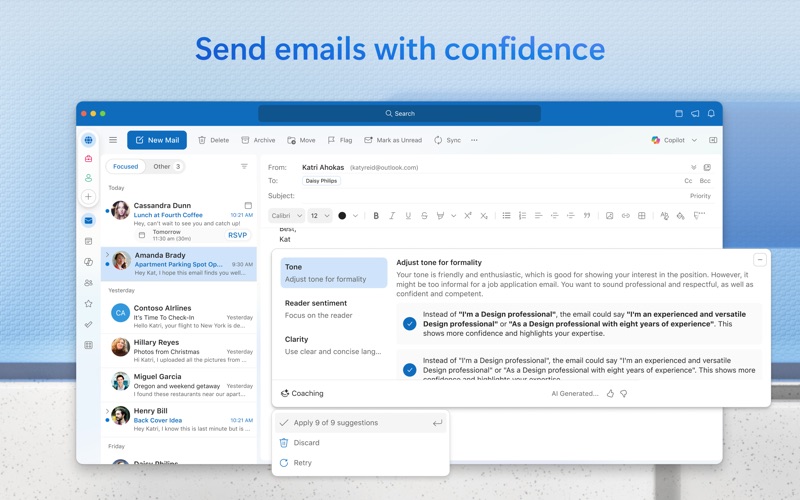
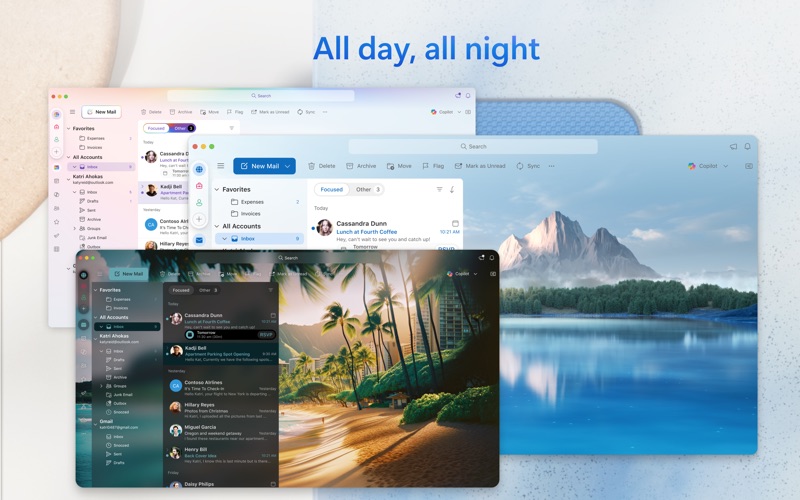
Outlook helps you stay connected and organized at the office and at home with easy access to emails, files, calendar events, and contacts across all your accounts so you can quickly get things done. With Outlook for Mac, we have reimagined the experience that you know and love, bringing even more power and simplicity to the product. Here’s what’s new with Outlook for Mac: Now free with your personal email accounts • Multi-account experience for email, calendar, and contacts, so you can focus and get things done without leaving the app • Compatible with Microsoft 365, Outlook.com (including Hotmail and MSN), Gmail, Yahoo! Mail, iCloud, IMAP, and POP accounts • Add a premium subscription to go ad-free Fast, beautiful, and effortless • Reimagined from the ground up and crafted natively for Mac so that it feels smooth, easy to use, and powerful • End-to-end redesign brings simplicity and customization to your email and calendaring Enhanced speed and performance • Optimized for Apple Silicon • Fast load times and quicker syncing of accounts with Microsoft sync technology Personalized to fit your style • A fully customizable toolbar with your most-used commands at your fingertips • Personalize your workflow with swipe gestures, email pinning, hover actions, theming, display density, and much more Search that works for you • Find what you need quicker and more reliably with enhanced search suggestions, and more An integrated calendar • Make most of your time, plan meetings, check availability, track RSVPs, and share your calendar • Use My Day to surface your agenda and a two-week calendar view alongside your inbox • Set meetings to always-virtual and make your default meetings start or end early Privacy and world-class security • Help protect your data using Microsoft Information Protection This app is provided by either Microsoft or a third-party app publisher and is subject to a separate privacy statement and terms and conditions. Data provided through the use of this store and this app may be accessible to Microsoft or the third-party app publisher, as applicable, and transferred to, stored, and processed in the United States or any other country where Microsoft or the app publisher and their affiliates or service providers maintain facilities. Please refer to the Microsoft Software License Terms for Microsoft Office. See “License Agreement” link under Information. By installing the app, you agree to these terms and conditions. Consumer Health Privacy Policy: https://go.microsoft.com/fwlink/?linkid=2259814

Screenshots

Reviews

  • Please Provide Contacts and Search

    3
    By Litag8r
    If you have Microsoft 365 this is the only app that you should use on your Mac. However, the contacts part of the app is HORRIBLE and the search feature is even WORSE. You might as well get a rolodex for your contacts and give up searching for email because you will never find it (unless you know the exact subject and the date of the email but then you didn’t need the search). But with the exact subject and date, the search will find the email about 90% of the time. Don’t waste your time with Apple Mail. I suspect that Microsoft and Apple intentionally fight each other so that it will never work right. One star for the constant struggle. AOL did the same job with email that arrives. It is everything else that makes an email client shine. Outlook shines like a black hole unfortunately.
  • Please, please stop checking my grammar

    1
    By andrestm
    I’ve turned off every single setting relating to spellcheck, grammar check, predictive text, suggestions, etc. and yet I cannot get Outlook to stop underlining my text with often inane, always unwanted suggestions. This latest version seems particularly impervious to any attempts to turn off these features. Please ensure the application respects user preferences disabling spelling and grammar check. I am so very close to deprecating Outlook as my go-to email client.
  • Flag item as Mark Complete missing on MacOS Outlook

    1
    By CrashRez
    Flag item as Mark Complete missing on MacOS Outlook
  • Some important messages don’t go through

    5
    By sarah heimlschnich
    I really like outlook, very professional and nuanced. My only issue is that they filter out very important emails from non-scammers, also it’s frustrating when I get signed out without notice and then miss an important (time sensitive) notification. Also, it can be difficult to email certain domains. just some areas of improvement
  • worst app!

    1
    By rgt43wer87tyfgrygfyhu8dgbsd
    microsoft and apple: like oil and water.
  • Erro 0x0

    1
    By Dell@101
    Getting erro 0x0
  • ads suck

    1
    By Tonyjschmidt
    get rid of the ads ffs
  • not good

    1
    By Folder issue
    I am unable to remove folders from Outlook Mail.
  • e-mail update rate erratic

    2
    By Noblocking
    Sometimes e-mail refresh rate erratic. Several instances where updating is more than a day. Unacceptable.
  • frustrated.....

    1
    By interested in radar weather
    i was on microsoft office and because I needed to update my gmail password, I was not able to update it to my microsoft app......and I do not understan technoligy and now everything seems to be lost!

Comments

keyboard_arrow_up